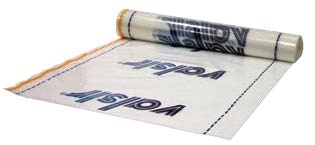
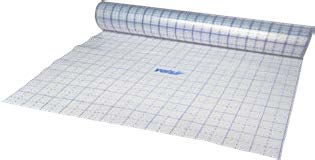
Betonin notkistin, joka parantaa betonin juoksevuutta pienemmällä vesimäärällä ja helpottaa lämmitysputkien peittymistä valussa. Valmistajan pakkauskoko 10 kg.
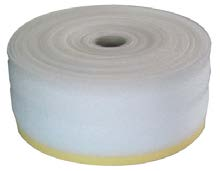
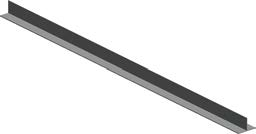
Valkoinen vaahdotetusta polyeteenistä valmistettu liikuntasaumanauha. Korkeus × paksuus 200 × 7 mm; pituus 25 m. Nauhan reunassa on 20 mm leveä liimapinta. Käytetään V-JOINT/T-profiilin kanssa tai kiinnitetään V-ESSE-levyyn.
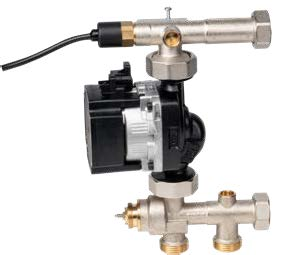
V-MIX03-sekoitusryhmä, jossa on säätyvä elektroninen kiertovesipumppu, turvatermostaatti, kolmitieventtiili ja takaiskuventtiili. Pumpun nostokorkeus 6 m; liitännät G1. Sekoitusventtiilin termostaatti- tai moottoriohjaus toteutetaan valmistajan lisävarusteilla.
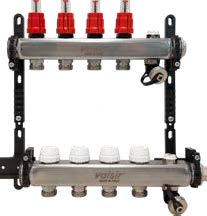
Esiasennettu ruostumattomasta teräksestä valmistettu jakotukki lattialämmitykseen, 10 lähtöä. Liitäntä G1; lähtöliitäntä G3/4 × 18 mm; pituus L 625 mm. Sisältää virtausmittarit ja kaappikiinnikkeet. Termosähköiset toimilaitteet toimitetaan erikseen.
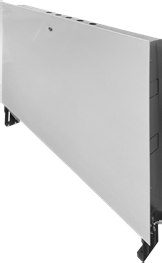
Uppoasennettava jakotukkikaappi sekoitusryhmälle ja jakotukille. Maalattua terästä, tukijalat. Leveys L 1200 mm; säädettävä korkeus H 700-800 mm ja syvyys s 80-130 mm.
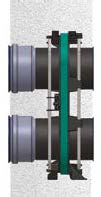
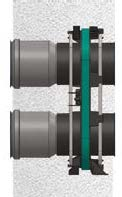
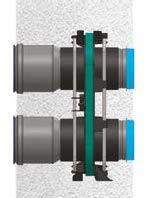
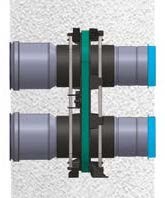
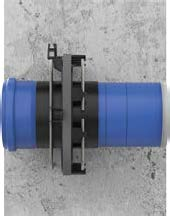
Polimask-järjestelmän läpivientisarja, seinäpaksuusmalli 220/150 mm. Taulukon D 100 mm, D1 110 mm ja L 157 mm. Valmistaja edellyttää tätä sarjaa Polimask 110 -elementin asennuksessa 150 mm:n seinään.
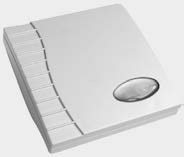
Seinälle asennettava VOC-anturi Idronica-, Isoterma- ja Maxima-ilmanvaihtolaitteille. Anturi tunnistaa haihtuvia orgaanisia yhdisteitä. Valmistajan mitat H × L × P 81 × 79 × 26 mm.
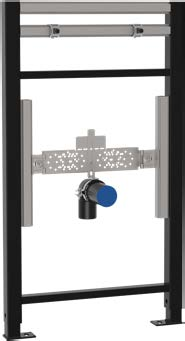
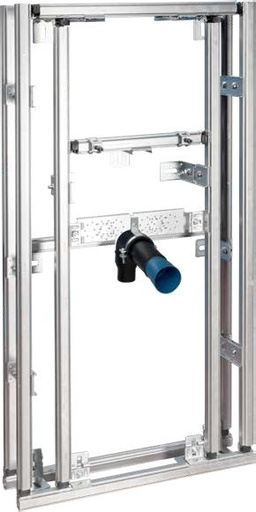
MFV Modules -asennusmoduuli seinään ripustettavalle pesualtaalle. Leveys 600 mm, korkeus 1200 mm ja runkosyvyys säädettävissä 150-210 mm. Liitososat ja kiinnitystarvikkeet eivät sisälly toimitukseen.
Each filter group (category, warranty, brand, technical specifications…) narrows the product list. Within a group, you can select several values; matching any one is enough (e.g. two categories = either is accepted).
Exact, all conditions. A product is shown only if every selected group matches. The list narrows with each added choice. Use it when you know the requirements (e.g. sizing or a procurement specification).
Broad, any condition. A product is shown if even one selected group matches. The list widens. Use it for surveying and for collecting alternatives to compare.
Example. Selections: Category “Radiators” + Warranty ≥ 24 months:
Exact → only radiators with a warranty of at least 24 months. Broad → all radiators and all products with a warranty of at least 24 months.
Free-text search always narrows results in both modes. The mode matters only when at least two groups are active. You can save the combination under a name in My filters button.
Select a filter group to show its options below. Change the default view in the Tools menu settings.
ETIM class
ETIM is a European product classification for technical products. Select a class to show only products in that class.
Country of origin
Filter products by country of manufacture.
HVAC product information (40 TT fields, incl. ETIM)
Fields of the official HVAC product information standard (TT000-TT699). Refine your search by dimensions, materials or connection details. Open a TT range by its heading.
Search by product name or number above, or browse
All categories menu. The category tree on the left lets you select several categories at once.
Search categories… filters the tree as you type.
2 Filters
Search any filter… finds a filter by name. Click a value to add it immediately. Filters marked with an arrow (e.g. technical values) open a value input in the search results, and Apply applies the filter.
All filters opens the full list; a group button opens only that group. Your selections appear above the list and can be removed individually.
Exact / Broad selector at the top of the panel determines how filter groups are combined. Exact shows only products that match all selected conditions. Broad
shows products that match any condition. The panel's
? button opens help with examples.
3 My filters
Save the filter combination under your own name using the My filters button beside the search field. Click a saved filter to apply it. Using the same name replaces the old filter after confirmation. You can save up to 100 filters.
Hover over a saved filter to see its contents. The eye icon opens a window where you can remove conditions and save changes. Deleting a filter always asks for confirmation.
4 Sorting
Choose order Sort menu. The arrow button (→/←) reverses the order.
5 Basket and quote request
The settings icon's Collect selector indicates what you are preparing. By default, both use the same basket, and
the basket page is your working draft. From there, submit your basket as an order or a quote request (Request a quote). In Quote request mode, you can choose target draft
or create a new one (e.g. per site). Additions then go directly to the draft, which you submit from
Quote requests. Your basket and drafts remain in your account.
In the same menu, under Notification when a product is added lets you choose how additions are confirmed: a small confirmation message, permanent
basket bar at the bottom of the page, both or neither. Your choice is remembered in this browser.
6 Favourite lists
The heart saves a product to a favourite list. Click to open the list selector: add the product to one or more lists or create a new list (e.g. for each site). The settings icon's
Favourites lets you choose the list to which the heart saves products directly. Your lists are on the Favourites, where you can add the entire list to the basket at once.
7 Quick view and prices
Quick view opens product details without leaving the list. Prices and availability are confirmed in the quotation. New company: register and provide your Business ID so we can review your approval.
8 Submitting a quote request
Create a quote request from your basket using the basket page's Request a quote
button. Submit the draft from the portal's Quote requests page. You will receive an email confirmation and a quotation from our sales team.
9 Pricing
We request prices from suppliers when needed. We confirm product prices and delivery time in your quotation. A quote request does not commit you to an order.
10 Sales batches and minimum quantities
Some products are sold in sales batches (e.g. 40 pcs/batch: 40, 80, 120 pcs) or have a
minimum sale quantity. The rule appears below the price on the product card and beside the quantity selector on the product page. +/− always moves in full batches. Manually entered quantities are rounded up to the nearest sale quantity, including bulk imports and quote request collection.
Your choice is saved in this browser. The guide is always available from the ? button in the Tools menu.
Necessary cookies are always on.
You can also allow preferences, so the site remembers your choices on your next visit, and statistics, so we see which pages and products are viewed. We use no marketing cookies. You can change your choice at any time.
Read the cookie policy.
Cookie settings
Decide what you allow. Necessary cookies are always on so that the site works. Preferences and statistics are on only if you allow them. Read more in the cookie policy.
NecessaryAlways on
Basic site functions: session and sign-in (7 days), cart, security, language choice and this cookie choice. View choices you make during a visit last until you close the browser. These cannot be switched off.
The site remembers your choices on your next visit too: the view, filters, sections you hid and calculator inputs. The data stays on your own device.
We record which pages and products you view so that we can improve the site. The data is used for statistics only, deleted after 60 days and never shared with others.